Tuesday, October 23, 2012

The Causes of the American Revolution Ilustrated

Since we are trying to convert paper projects to iPad, today we experimented with several apps to illustrate the main causes of the American Revolution.

Among the list are:
Pages
Keynote
SketchBook
ExplainEverything
PicCollage
ArtRage


Students used my class notes delivered to them via eBackpack, to complete the following three items

1.  Make a visual representation of the British Act.  Can be drawn or illustrated with pictures from the web.
2.  Write two originial sentences describing the act.
3.  Create a scale used to rank the colonial response to the act.  From happy to ready for war.   Make a key to explain your scale.

I suggested that students use some thing like this for their scale
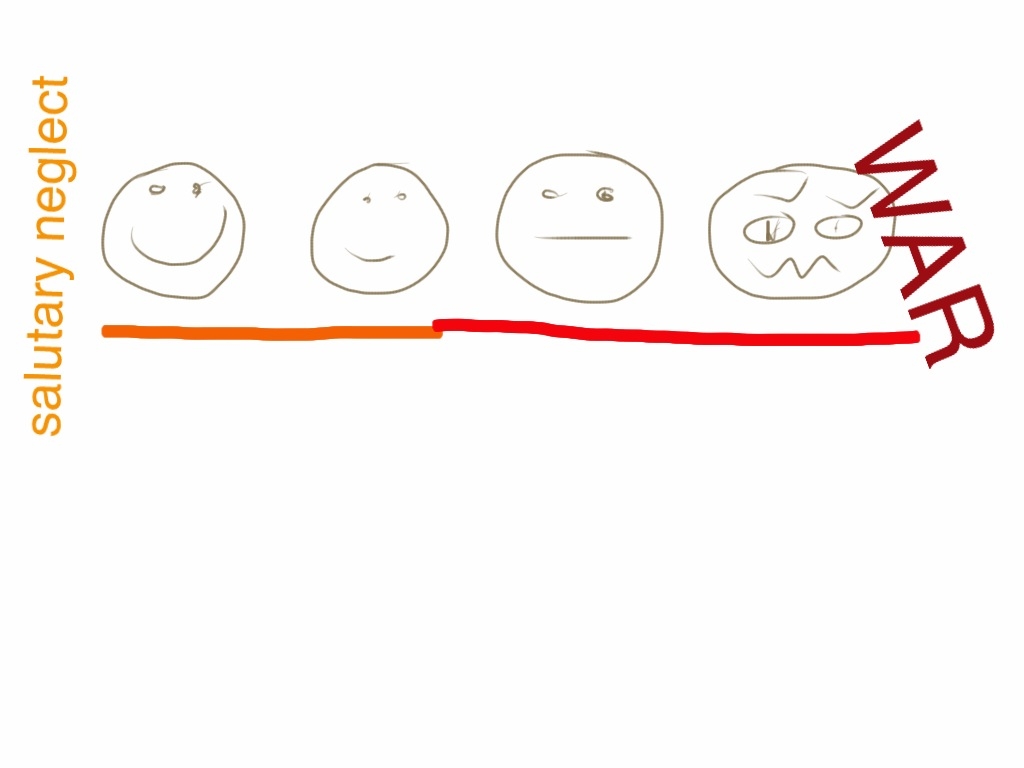

I cannot wait to see what the kids dream up!

BTW, have you checked out the new transitions in the Keynote App......sooo fetch!

Update:

Here are some completed projects:


Monday, October 15, 2012

Student Video App Reviews

Here are the final video app reviews.   I love the usefulness of these reviews.  I am using them to teach other students and teachers about the apps we have used.   Students learn so well from their peers and 8th graders understand each other better than they do adults.


Check back soon because tomorrow we are gathering our comic strips on The Enlightenment made on StripDesigner.

Saturday, October 13, 2012

Video Student App review of iStudez Pro

Here is a student app review of iStudez Pro.


See how this powerful app can be used to organize all your studies!  One of the best features of this app is that you can subscribe to Google Calendars right from the app.   This app can house all your Google calendars in one place.

Thank you techchef4u for helping make this video!  Also thanks to iPadSammy for encouraging me to make these student app reviews a part of our first year with 1:1 iPads.


Friday, October 12, 2012

Student App Review--Notability

Notability is a useful app. 


The app is very useful in note taking, with a semi-unique layout for tools. 

The app has a decent organization system, with great folders and decent space. The app has a great pen tool with a variety of options. 

The text box tool is a little confusing but only needs some getting used to. The exporting is barely compatible with any other apps, making a huge impact on how I'm using the app. 

I have found better apps, but this app is: So Fetch
-G

Student App Review--MyHomework


App review:


This app is very helpful for the everyday student. It can organize your homework by class, assignment, test, priority, and by date. We find this extremely helpful and we use it every single day. It can also sometimes give you a reminder if you have a test the following week or day. Every day I use this app to remind my self of any assignments I have. I would recommend this app to anyone. - Tatiana and Ana 


IMovie app review

   I really like the app IMovie because it allows me to make videos for projects or for fun with cool effects. iMovie is fun and easy to use if you are looking for a movie/short video making app. One of my favorite things about iMovie is that you can add music into the background of your videos. I like everything about the app and I recommend you get it.

    -CC https://mail-attachment.googleusercontent.com/attachment/u/0/?ui=2&ik=bf6cb56b1f&view=att&th=13a55a9c94e4909c&attid=0.1&disp=inline&safe=1&zw&saduie=AG9B_P9f9kekEthGeuuVrzqhcy3C&sadet=1350057731845&sads=z1ptUyYkqaeUUecqHTVRHgBK5rs

Student App review--iBrainStorm

IBrainstorm is a great app if you like to doodle, but that's about all it does. The background is cardboard so it looks like you are actually drawing with a pencil. The eraser on IBrainstorm is kind of hard to use.